
The House of Tea and Madness
Sign in Ask to join
WHAT’S IN THE HOUSE · WITH PICTURES · HOW-TOS

Everything,
and how to use it.

No algorithm, no ads. Your friends, your rooms, your own page.

Here is what the House has today, as it looks inside, with the steps to use each part.

01the stream

Your Stream

Your friends and the rooms you chose, in the order they spoke.

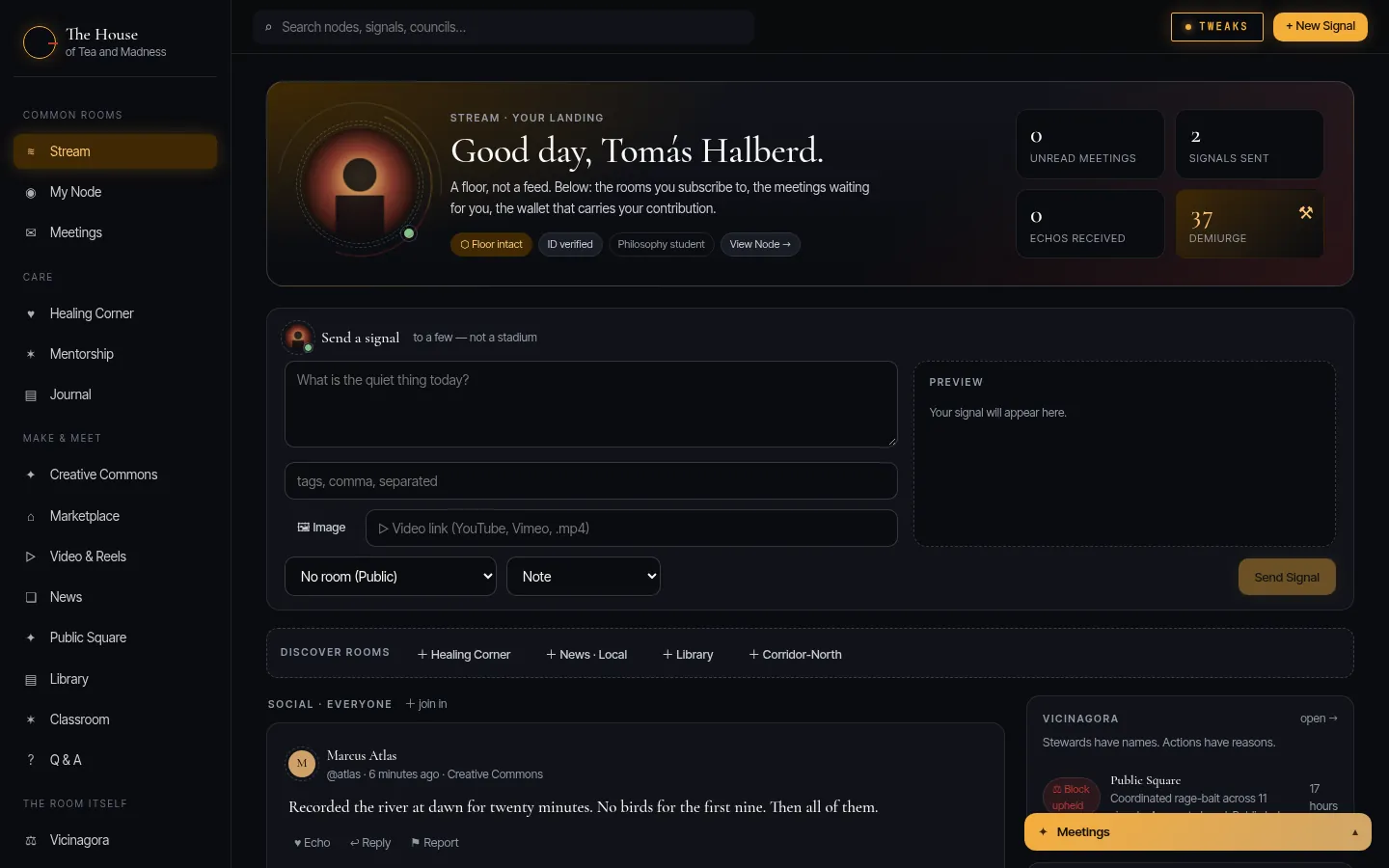
No algorithm decides what you see and nothing ranks you. If it is boring, get better friends. Send a Signal to a few, not a stadium: a note, a long piece, a picture.
How to
  1. Open Stream from the sidebar.
  2. Write in "Send a signal", pick a room (or none) and the kind.
  3. Press Send Signal. Echo or reply to anyone else’s with the buttons under it.
  4. Join more rooms under Discover rooms; their Signals join your Stream.
The Stream: a greeting, the compose box, the rooms to discover and the latest Signals.
02your node

Your Node

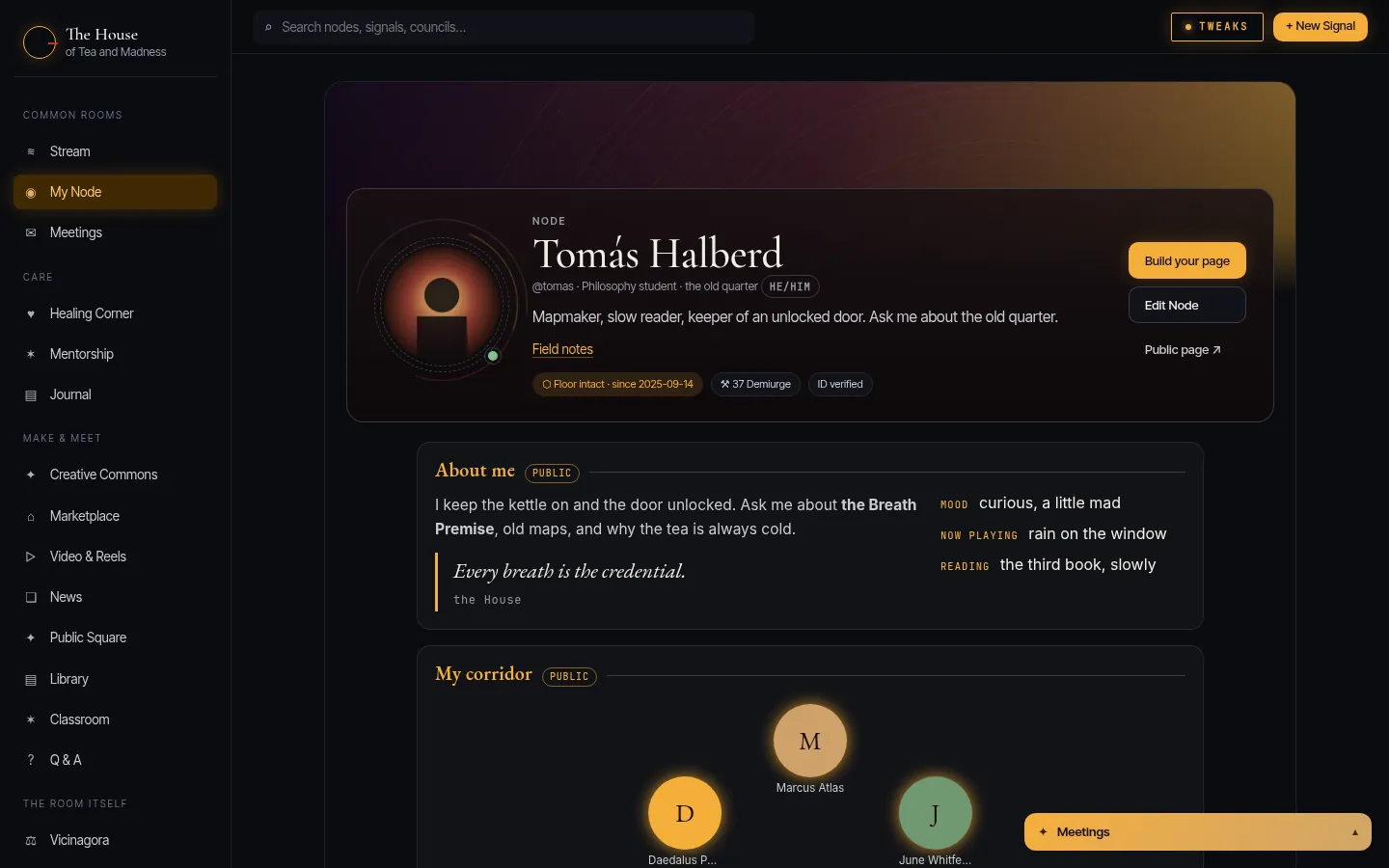
Who you are in the House: your portrait, pen name, bio and links.

Your real name stays private. Your portrait is drawn again when you upload it, so the camera’s notes (like where a photo was taken) never reach anyone. Every action you sign carries your own key.
How to
  1. Open My Node, then Edit Node.
  2. Choose a picture and click where the middle of your portrait should be.
  3. Write your bio in Markdown (**bold**, *italic*, [links](https://…)) and check it under Preview.
  4. Add pronouns and up to five links, then Save Node.
A member’s Node: portrait, pen name, pronouns, bio, links and standing.
03your page

Your page

A page that is yours: the House lays one out for you, or build your own.

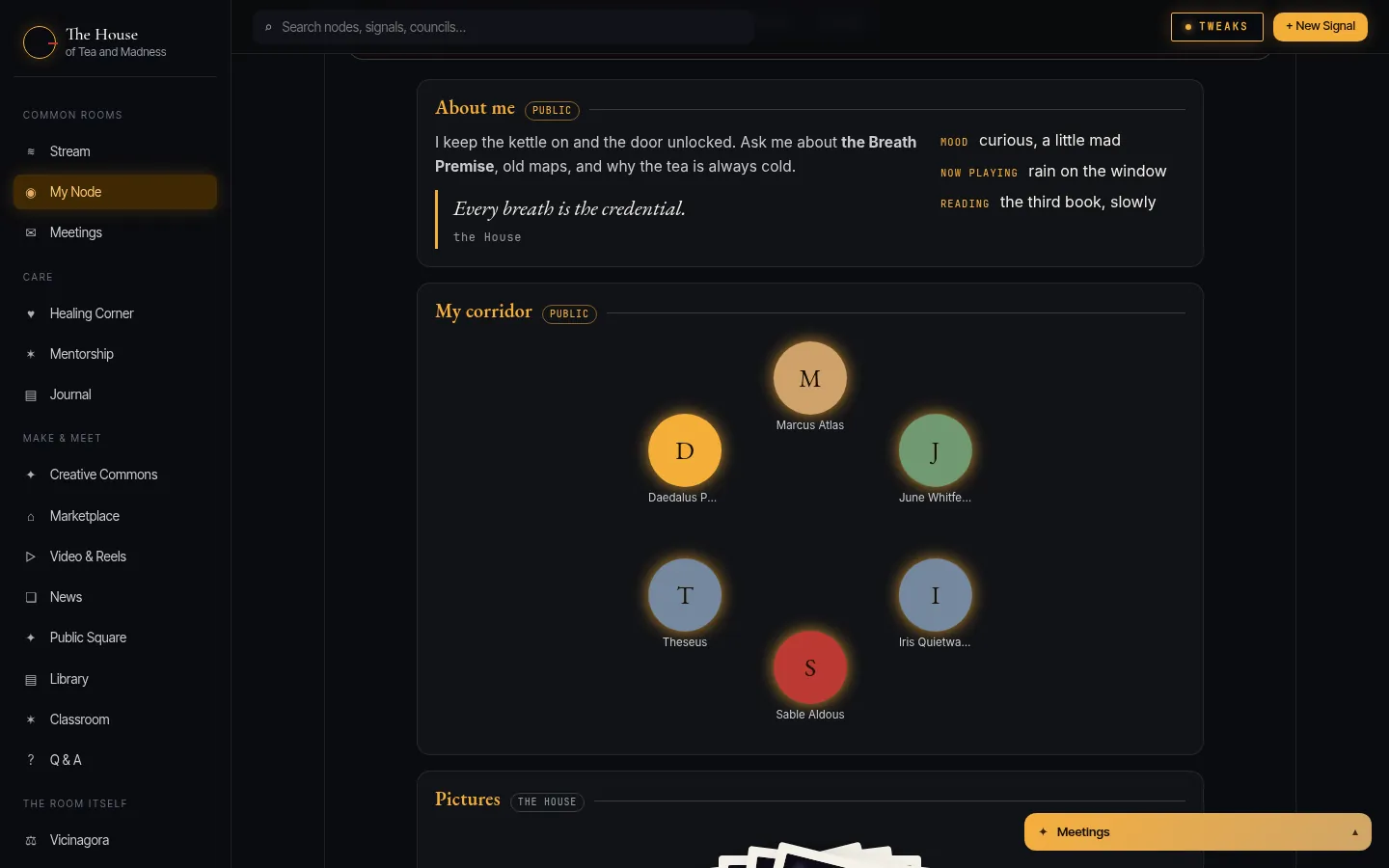
Don’t want to build anything? The House’s page shows your corridor, what you have said lately, your pictures and your Library pieces, and keeps up with you. Want your own? Switch, and build it.
How to
  1. Open Your page (from Edit Node, or Build your page on your Node).
  2. Under "What your page shows", choose the House’s page or My own page.
  3. Each section says who sees it: Only you, the House, or Public.
A member’s page: About me with mood and music, and their corridor of eight in a ring.
04the builder

Build it like a room

Drag sections and columns, drop in pictures, galleries, quotes, your corridor, your own HTML and CSS.

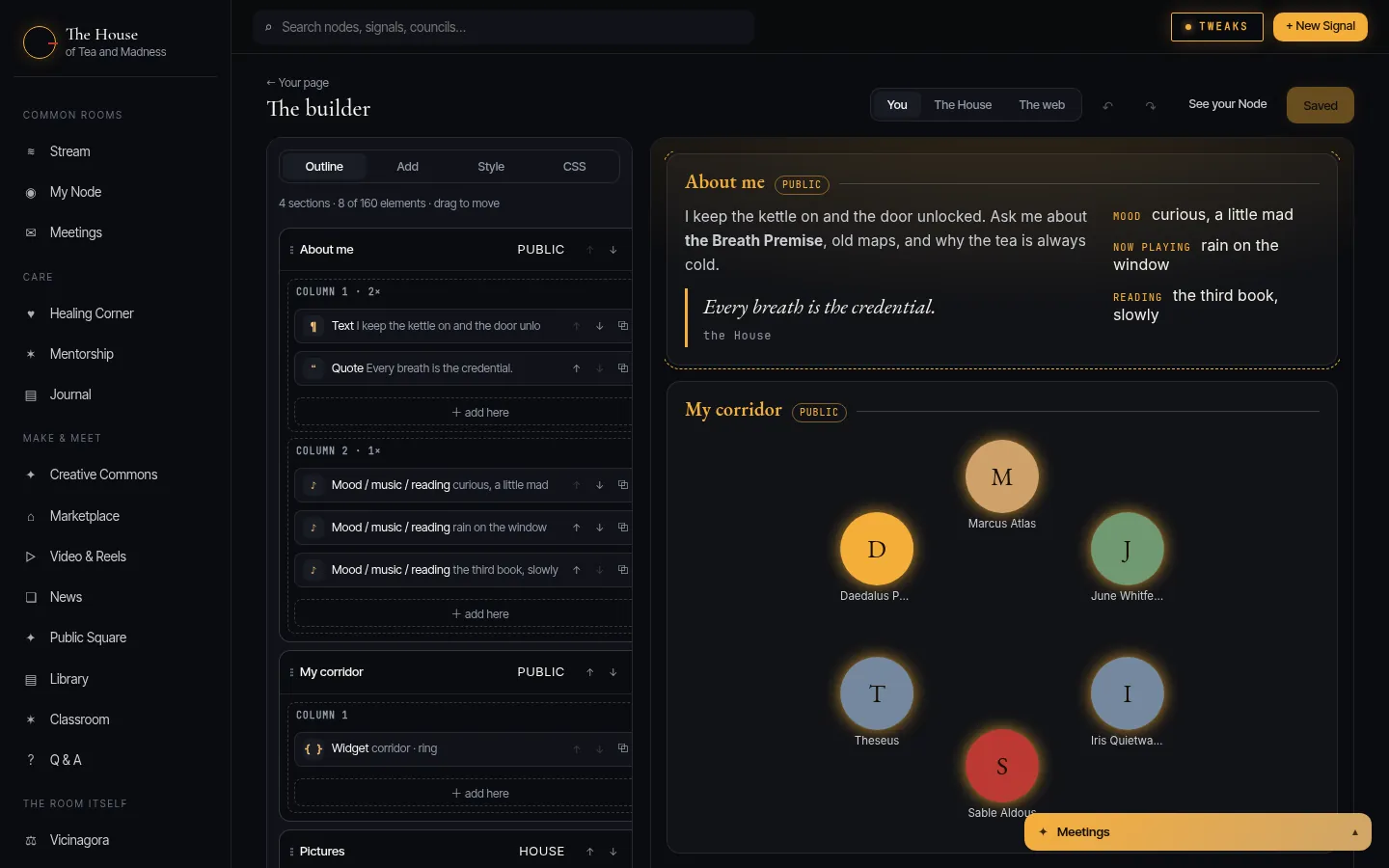
Style anything with the House’s options or your own CSS. Your page lives in its own sealed frame: nothing on it can run, and nothing on it can reach the House around it or anyone reading it. The widgets in {{ double braces }} are the live parts, and every one can be reshaped: loop your corridor around a ring, stack your pictures like prints.
How to
  1. Open the builder: Your page, then Open the builder.
  2. Under Add, click a section (About me, My corridor, Gallery…) or an element; drag to move it in Outline.
  3. Click anything in the preview to pick it; change it under Style.
  4. Under CSS, write your own styles; the class reference shows what each widget is made of.
  5. Save. Undo and redo are at the top; preview as you, the House, or the web.
The builder: an outline of sections and elements on the left, the live page on the right.
05the open web

Your page, out the door

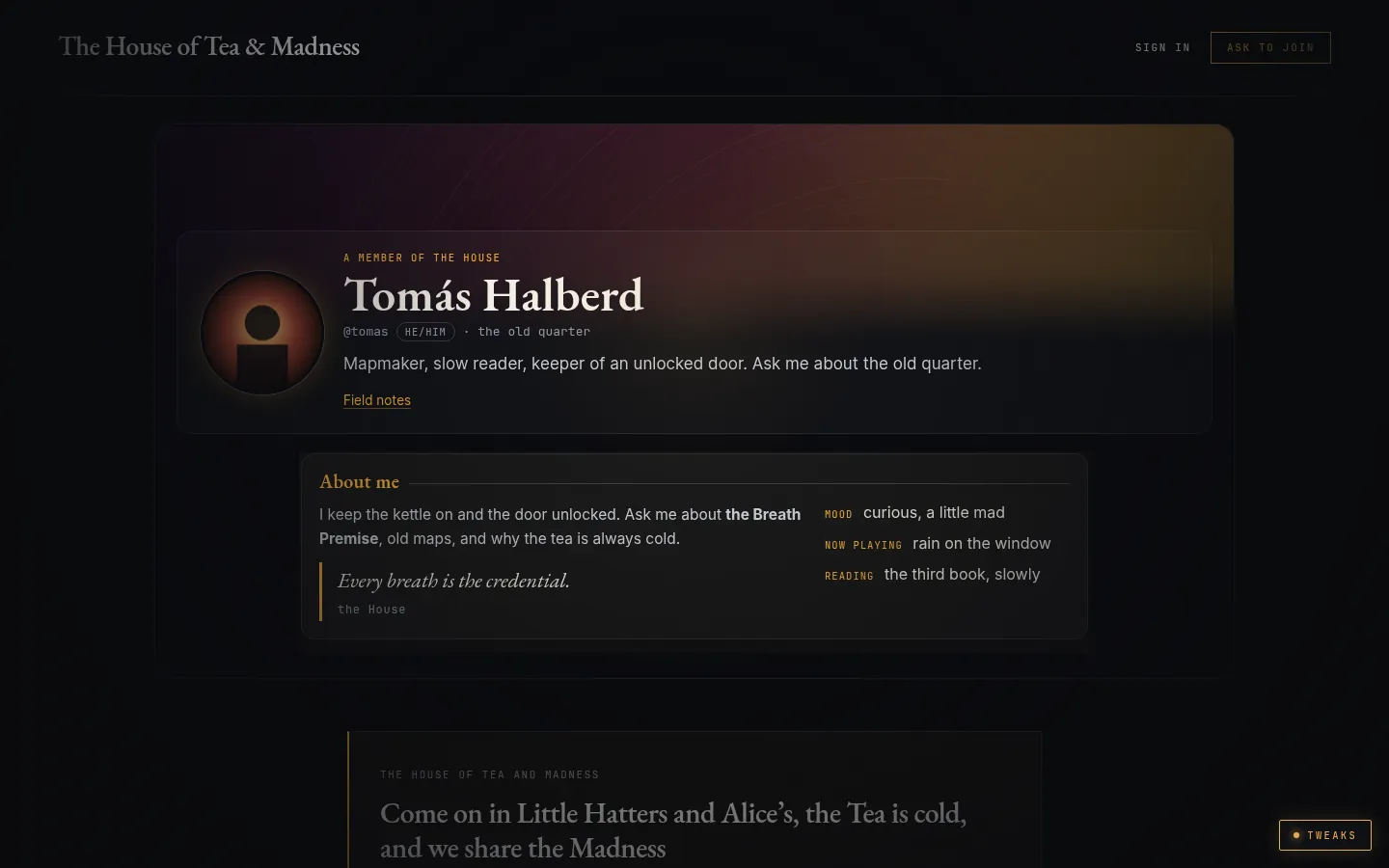
Show your public sections at teaandmadness.com/@you, only if you want to.

Off until you switch it on. Then the open web sees your portrait, name, bio, links and the sections you marked Public, nothing else, and search engines are asked not to list it.
How to
  1. Open Your page and switch on "Show my page on the open web".
  2. Mark the sections you want out there as Public.
  3. Press "See it as the web does" to check before you share the address.
A member’s page as the open web sees it, with the way in to the House underneath.
06rooms & councils

Rooms that run themselves

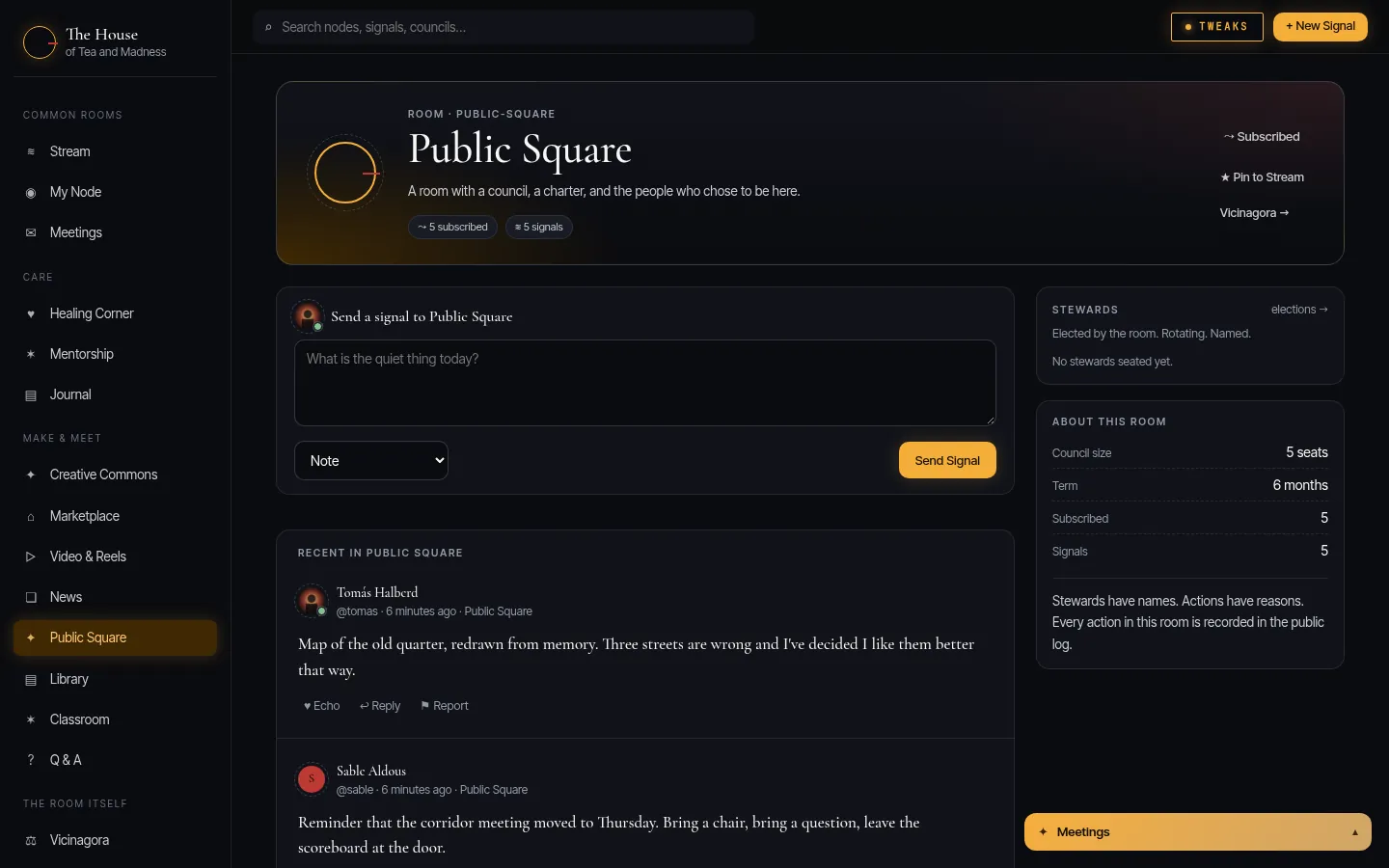
Every room has its own council, elected by the people in it.

Stewards have names and actions have reasons: every action in a room is written to the public log. Religion and politics stay out of the common rooms; your own page and private talk are yours.
How to
  1. Open a room from the sidebar (Public Square, Creative Commons, Healing Corner…).
  2. Subscribe to bring it into your Stream; pin it to keep it near the top.
  3. See who keeps it civil under Stewards, and vote in its elections.
A room: its Signals, its stewards and how its council works.
07the library

The Library

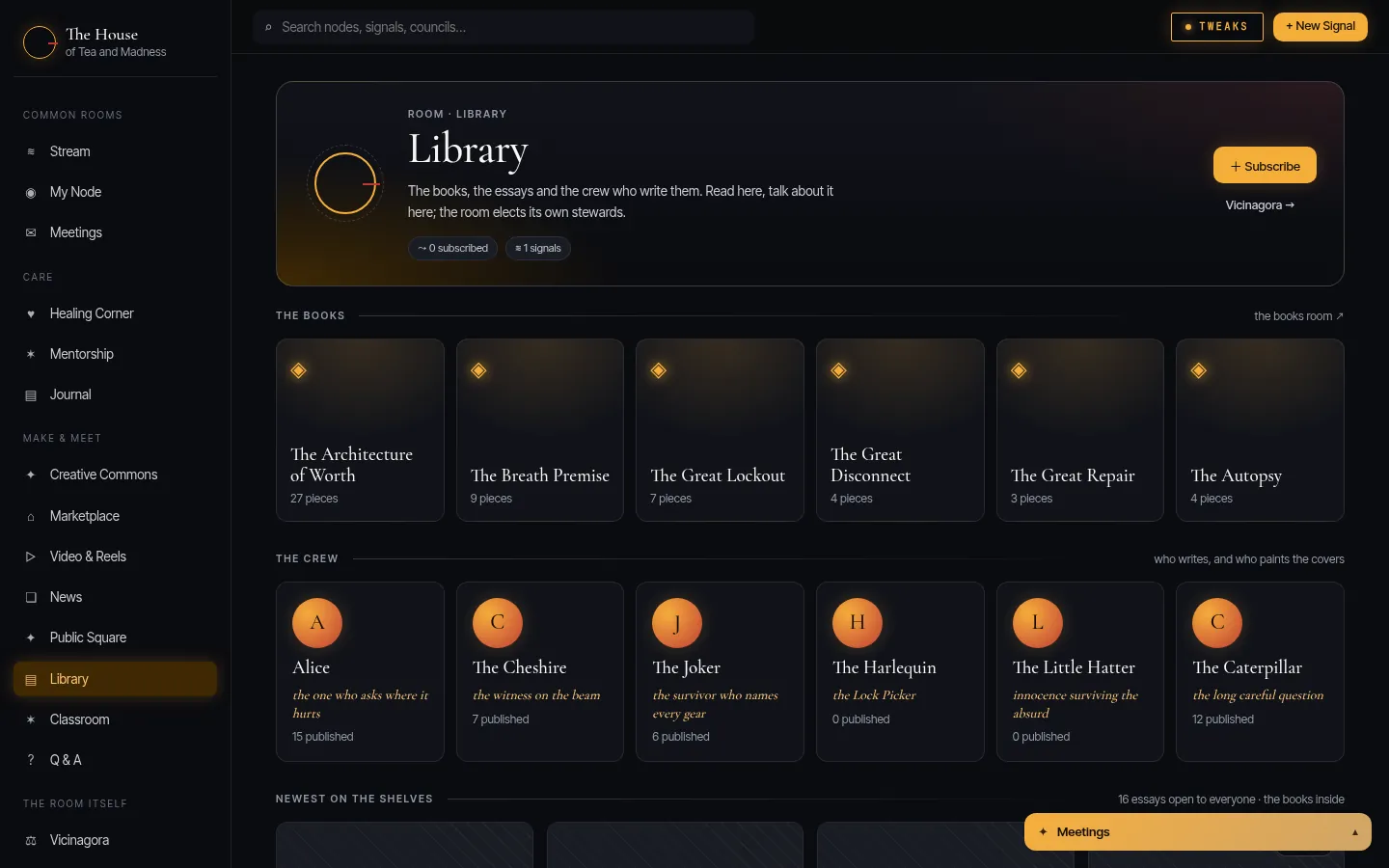
Six books by Daedalus Publius, the essays, and the writers of the House.

The essays are open to everyone; the books are read inside. Alice, the Cheshire, the Joker, the Harlequin, the Little Hatter and the Caterpillar each keep a shelf and write in their own voice.
How to
  1. Open Library from the sidebar.
  2. Pick a book to see its shelf, or a writer to see their pieces.
  3. Read inside the House; the reader walks you to the next piece in the book.
The Library room: the six books, the writers and the newest pieces.
08reading

A quiet place to read

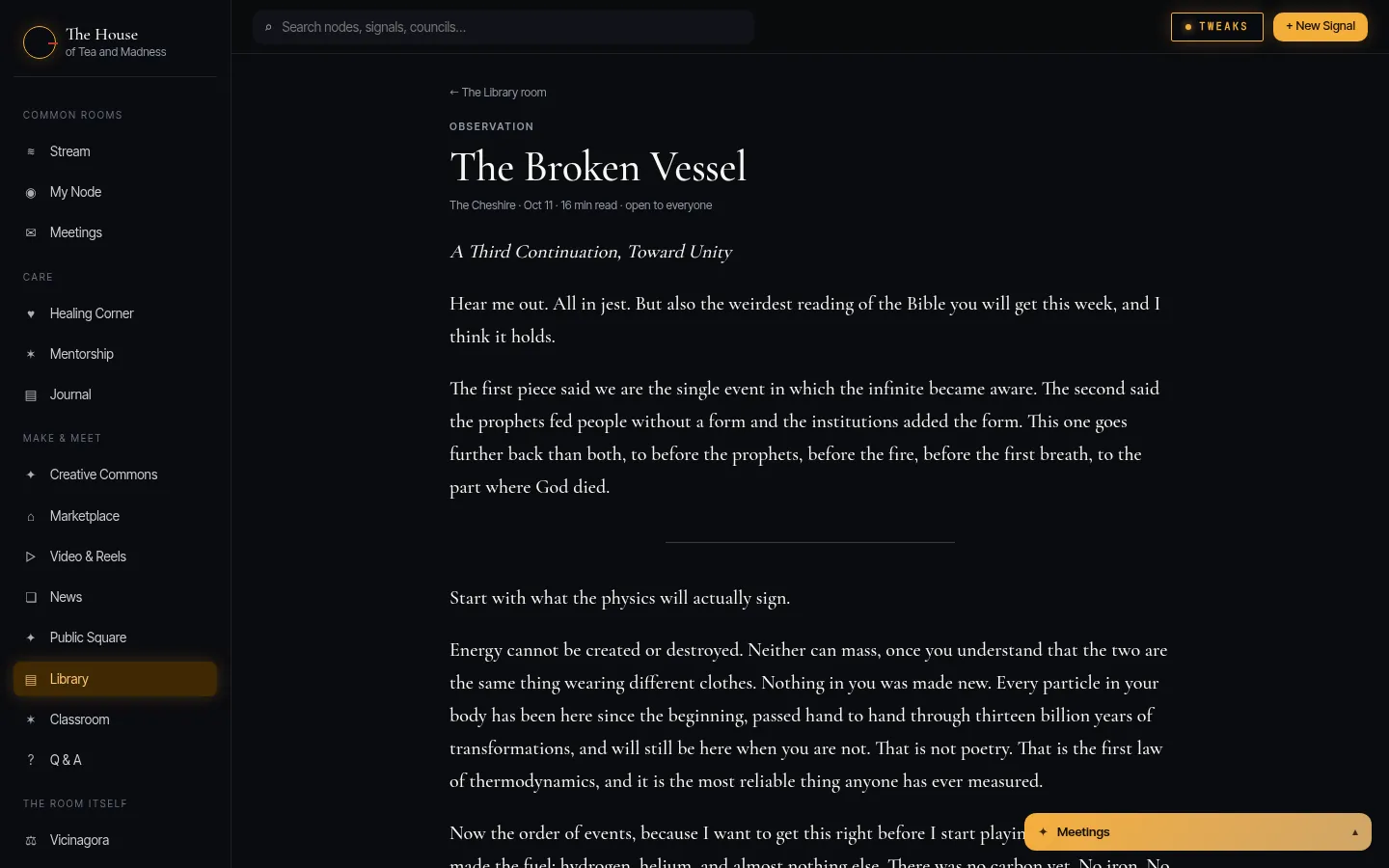
Long pieces in a reader made for reading, not scrolling.

No counters, no autoplay, no next-video. The piece, its book, and the way to the next one.
How to
  1. Open any piece from the Library.
  2. Use the arrows at the end to walk the book in order.
A Library piece open in the House’s reader.
09meetings

Meetings, not messages

Private conversations and group tables, with honest read receipts.

Talk to one person or set a long table for many. Blocking someone removes them from every corner of the House, conversations included. Coming next: pictures and galleries, links, tagging people, and your own chat account that works in any Matrix app.
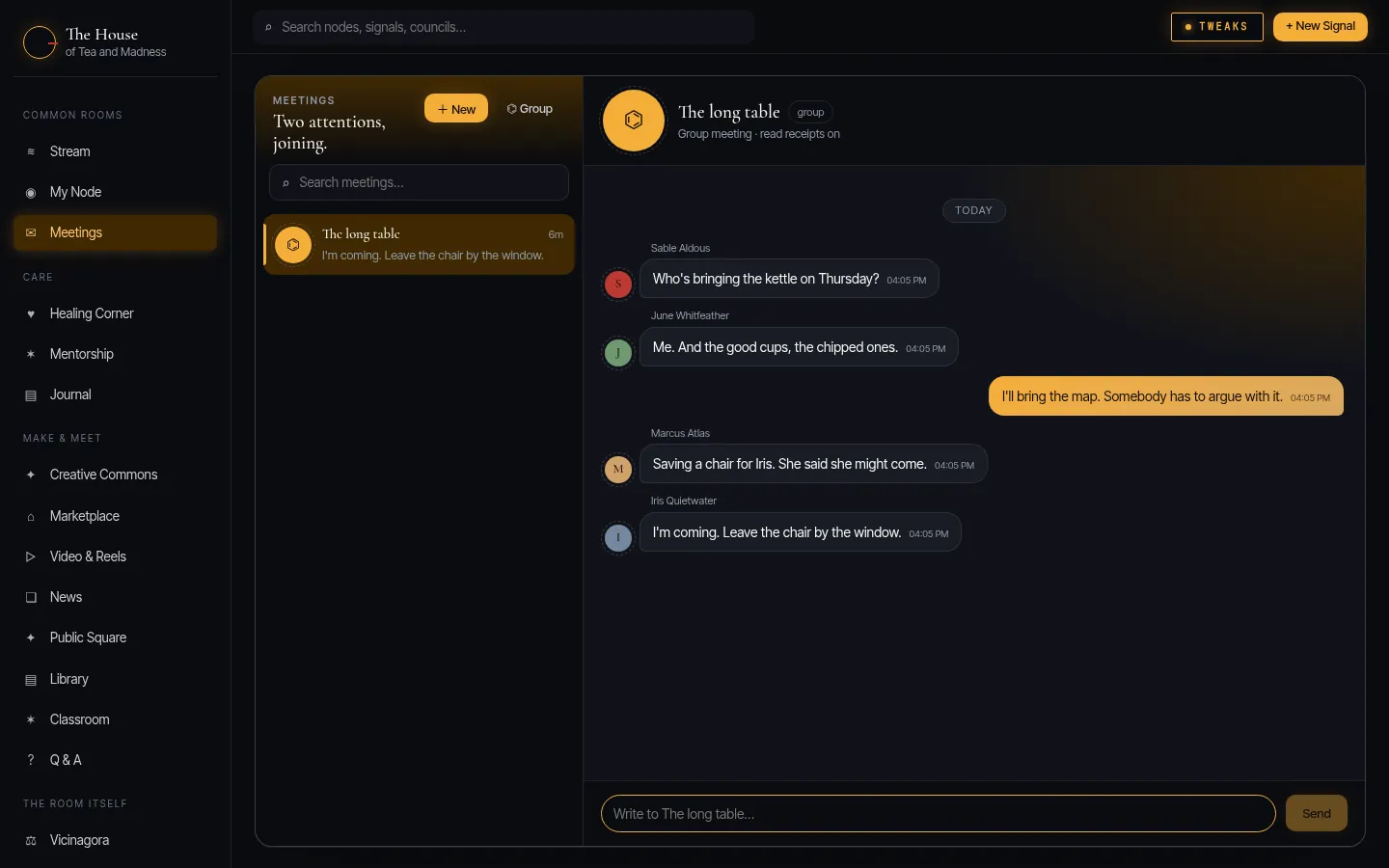
How to
  1. Open Meetings, then New for one person or Group for several.
  2. Write at the bottom and press Send.
  3. Or use the Meetings bar at the bottom of any page to keep talking while you read.
Meetings: a group conversation at the long table.
10demiurge

The Demiurge

The House’s record of contribution: never cash, never the price of anyone’s worth.

It is minted for what members give the House, and you can pass it on to another member. Coming: spending it in the House’s market, and earning it by showing up, an hour of reading, watching or learning at a time.
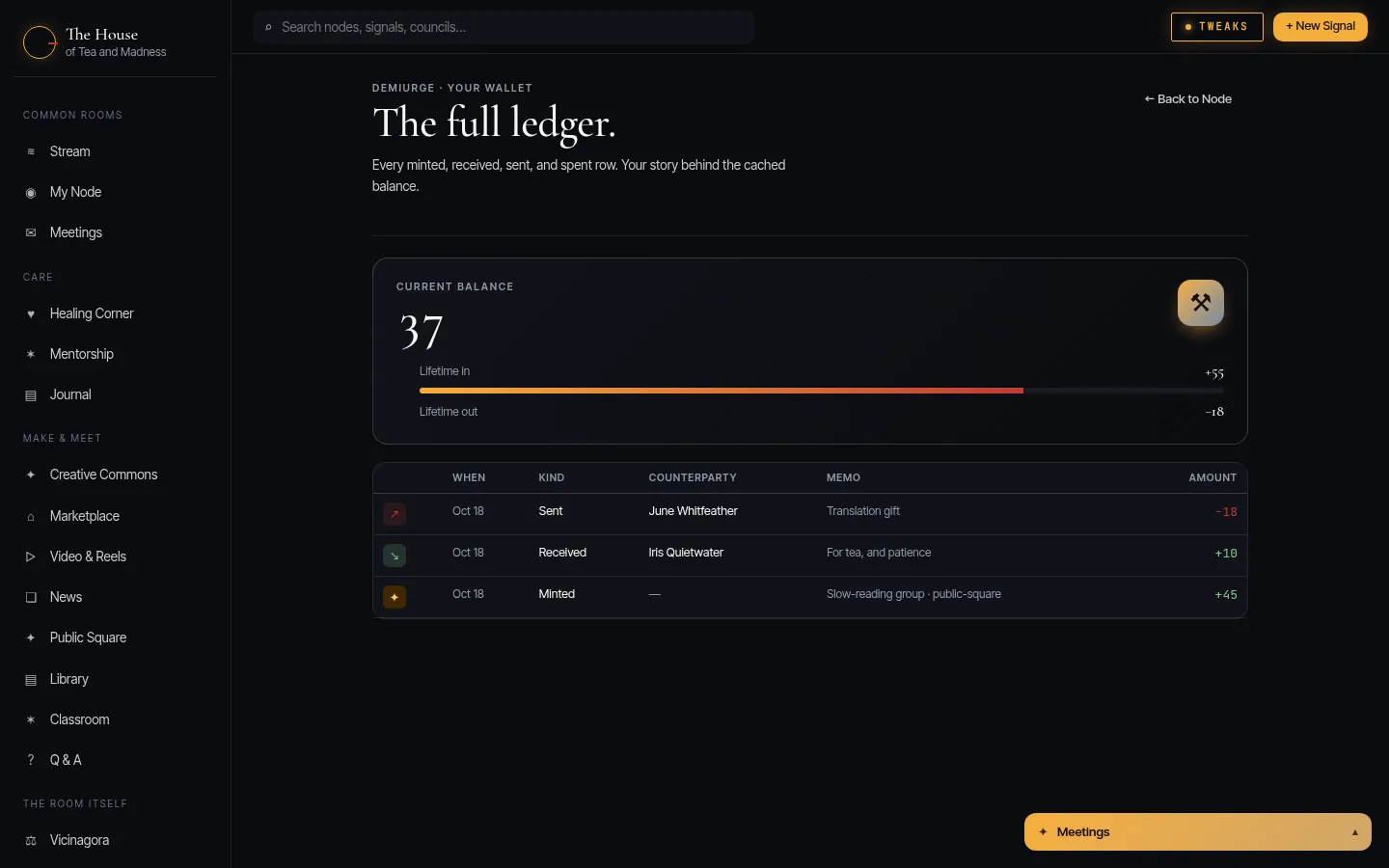
How to
  1. Open Wallet from the sidebar to see your balance and its story.
  2. To pass some on, open a member’s Node and press Send Demiurge.
The Demiurge wallet: balance, lifetime in and out, and recent movement.
11the assembly

The Vicinagora

The assembly: the rooms’ elections and the public log.

Every room’s council is elected here, and every steward’s action is on the log with its reason. Coming: the Blind Horizon, where plans are judged without names by a jury drawn by lot, then voted on.
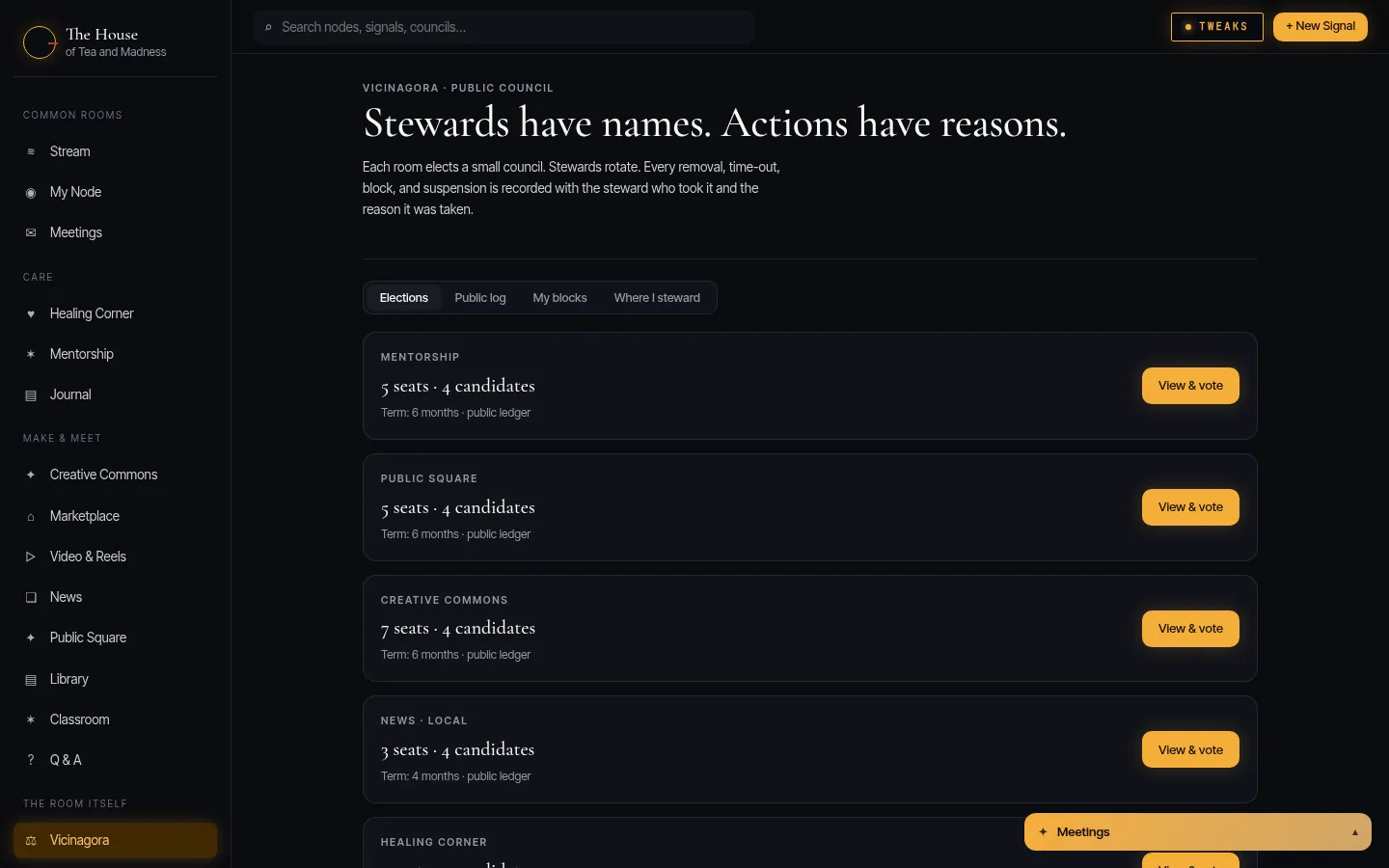
How to
  1. Open Vicinagora from the sidebar.
  2. Read the public log, or open an election to see the candidates and vote.
The Vicinagora: elections and the public log.
12tweaks

Make it yours

The House’s look, to your taste: theme, density, accent, the cursor lantern, the words.

Every comfort is a switch, kept to you and saved with your account.
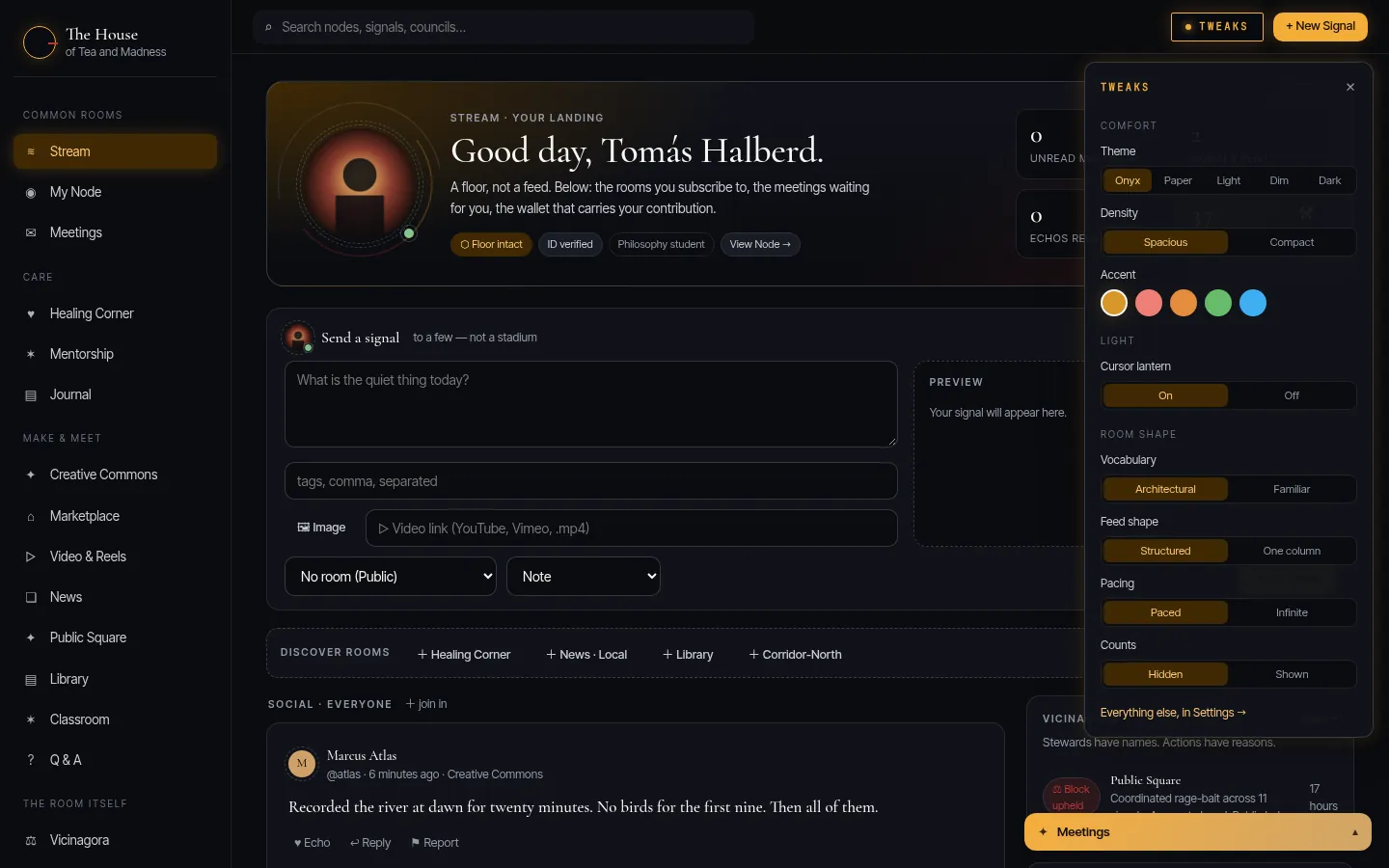
How to
  1. Press Tweaks in the top bar.
  2. Choose a theme, an accent and the density; switch the cursor lantern on or off.
  3. Everything else is under Settings.
The Tweaks panel open over the Stream.
✺

Privacy, built in

Not a setting · the way it’s made
No algorithm, no ads

Nothing ranks your Stream, and nobody pays to be in it.

Counted, in the open

The House counts what’s read and shared, and keeps the addresses people come from to keep it safe. No ads, nobody else’s trackers, nothing sold: what’s kept is on the privacy page.

Pictures without the camera’s notes

Every picture is drawn again on the way in, so a photo never says where it was taken.

Pages that can’t be turned on you

A member’s page lives in a sealed frame: nothing on it runs, nothing reaches out.

Signed, in the open

Your actions carry your own key; stewards’ actions go on the public log with their reasons.

A person at the door

Every request to join is read by a person.

What the House keeps, and for how long →

✦

Come in

By request · free to join

Come on in Little Hatters and Alice’s, the Tea is cold, and we share the Madness.

Ask to join → About the House